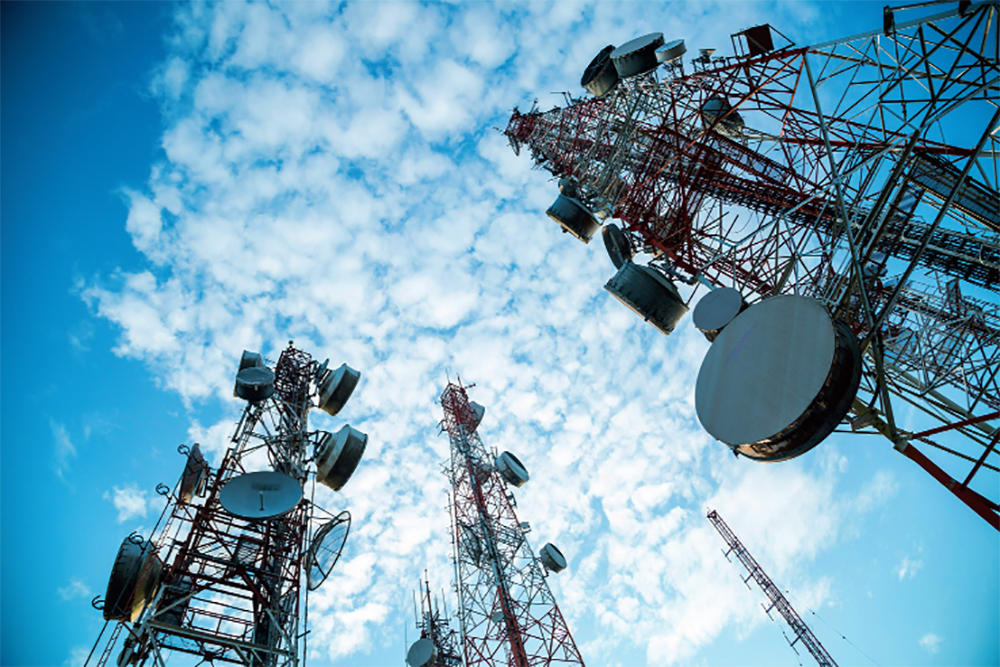
Télécoms au Maroc est parmi les premiers en Afrique de nord.
L’industrie marocaine des télécommunications est la plus attractive de la région Afrique du Nord, indique Fitch Solutions dans une nouvelle analyse consacrée au secteur. Le Maroc passe ainsi de la 9e à la 7e place dans la région Moyen-Orient et Afrique du Nord avec un score de 45,1 et un niveau de risques jugé faible, Pour cette raison, le Maroc occupe une position éminente dans le domaine des télécommunications en Afrique du Nord
Le Royaume est devancé par les pays du Golfe (Emirats arabes unis, Arabie saoudite, Bahreïn, Qatar, Koweït et Oman). Pour Fitch Solutions, le marché de la téléphonie mobile devrait poursuivre sa bonne dynamique “à moyen et long terme”, les opérateurs étant concentrés sur le développement des services de la 4G et l’attraction d’abonnés postpayés.
C2M réponds aux besoins des équipementiers et des opérateurs pour réaliser le déploiement des équipements télécoms sur l’ensemble du Maroc.
Le Maroc, l’Irak et l’Iran ont connu les plus fortes améliorations de leurs scores télécoms avec respectivement 2,4, 1,3 et 2,1 points, souligne l’étude.
La Voix sur IP, raccourci de Voice over Internet Protocol, est aussi connue sous le terme de VoIP.
La voix sur IP se réfère à la diffusion du flux de la voix sur les réseaux Internet, au lieu des réseaux téléphoniques RTC traditionnels. Le protocole Internet (IP) a été conçu à l’origine pour la gestion de réseaux de données puis après son succès, le protocole a été adapté à la gestion de la voix, en transformant et transmettant l’information en paquet de données IP. La VoIP est à présent disponible sur de nombreux smartphones, ordinateurs et tablettes.
La voix sur IP (VoIP) peut faciliter des tâches et fournir des services qu’il serait difficile ou coûteux de mettre en œuvre en utilisant le réseau RTC traditionnel:
Plus d’un appel téléphonique peut être transmis sur la même ligne téléphonique haut-débit. De cette manière, la voix sur IP peut faciliter l’ajout de lignes téléphoniques à l’entreprise, sans avoir besoin de lignes téléphoniques matérielles supplémentaires.
Les fonctionnalités qui sont habituellement facturées par les sociétés de télécom, tels que le transfert d’appel, l’ID d’appelant ou la composition automatique, sont simples avec la technologie de la voix sur IP.
Les communications unifiées sont sécurisées avec la technologie de la VoIP car elle permet l’intégration avec d’autres services disponibles sur Internet tels que la conversation vidéo, la messagerie instantanée, etc.
Internet par satellite au maroc est une nouvelle solution Internet haut débit par satellite au Maroc pour répondre aux besoins grandissants des particuliers et des professionnels marocains. La solution offre une expérience Internet inégalée en terme de qualité de connexion grâce au satellite.
Pour tous les exclus du haut débit (bout de ligne xDSL, oubliés de la 4G, etc.), l’accès internet satellite représente une alternative possible. Il n’est par contre pas toujours facile de s’y retrouver dans la jungle des offres – c’est peu de le dire – et des conditions. Avant de sauter le pas, voici les points à connaître.
En Maroc, une écrasante majorité des habitants profitent d’un accès à Internet par le xDSL, la fibre optique ou le câble, mais tout le monde ne peut pas en profiter dans de bonnes conditions. En attendant 2022 ou des jours meilleurs, le satellite apparaît comme une solution à prendre en compte pour obtenir du « bon débit ».
Au dernier recensement, fin 2017, moins de 100 000 abonnés y ont souscrit, bien souvent parce que c’était la seule solution. Car cette technologie n’est pas sans imposer quelques limites : les offres actuelles ne dépassent pas les 30 Mb/s (maximum théorique), disposent de quota, ont un ping important, nécessitent du matériel et une vue dégagée, etc.
L’occasion pour nous d’effectuer un grand comparatif de ce que proposent les différents opérateurs et des conditions qu’ils imposent à leurs clients. Mais avant cela, commençons par quelques rappels sur le fonctionnement de cette solution.
Deux problèmes : latence très élevée, bande passante partagée
Les abonnements par satellite reposent tous sur le même principe : le client doit installer une parabole à son domicile, qui est ensuite utilisée pour envoyer et recevoir des données via un satellite. De son côté, le satellite se connecte à une station d’émission au sol, elle-même reliée à Internet.
Dans la pratique, lorsque vous cherchez à accéder à un site, votre requête est transmise par votre parabole au satellite, qui la renvoie vers une station au sol et cette dernière s’occupe de récupérer la page. La station renvoie alors les données au satellite qui vous les transfère sur votre parabole pour qu’elles arrivent enfin sur votre ordinateur… soit un trajet de plus de 140 000 km à chaque requête (soit environ 3,5x le tour de la Terre).
L’un des principaux problèmes du satellite découle directement de ce (très) long voyage : une latence très élevée. Il faut au minimum 240 ms à un signal pour effectuer un aller/retour entre la terre et le satellite. En effet, ceux utilisés pour l’Internet sont géostationnaires (c’est-à-dire qu’ils sont toujours à la même position dans le ciel) et se trouvent à environ 36 000 km d’altitude. 240 ms représente le temps nécessaire pour que la lumière effectue les 72 000 km aller-retour.
La latence minimum est donc aux alentours des 500 ms (deux allers-retours), mais dans la pratique la moyenne est plutôt aux alentours de 700 ms selon les différents FAI. Si cela ne pose en général pas trop de problèmes pour surfer, il n’en est pas de même pour les jeux en réseau et autres solutions de bureau à distance, qui nécessitent un ping faible.
D’ailleurs, les FAI satellitaires expliquent généralement qu’ils déconseillent leurs offres pour des usages du type jeux en réseau. Autre point important à prendre en considération : la bande passante du satellite est partagée entre tous les utilisateurs et n’est pas extensible à l’infini. Nous ne parlons pas uniquement des abonnements pour les particuliers, mais aussi des professionnels et des services de télévision qui utilisent un satellite.
Les fournisseurs d’accès expliquent donc que le débit maximum théorique peut être abaissé lorsque le satellite est fortement sollicité par l’ensemble des clients. Les sociétés qui gèrent les satellites ont d’ailleurs mis en place une « politique d’usage équitable » ou « fair use policy » afin de prévenir que le débit peut être limité en cas de forte demande.
La data est souvent limitée, parfois avec du « fair use »
Ainsi, il n’existe quasiment pas d’offres illimitées, à une exception près – SkyDSL – mais au prix de conditions strictes et parfois bien difficiles à comprendre (nous y reviendrons). Du coup, les forfaits proposés par les FAI pour le grand public varient généralement entre 2 et 100 Go (téléchargement et upload compris).
Certains FAI proposent par contre de ne pas décompter vos consommations la nuit (généralement entre 0h et 6h). Cette période peut par exemple être utilisée pour télécharger des jeux ou des mises à jour de plusieurs Go et ainsi consommer une partie non négligeable de votre forfait.
Si certains opérateurs coupent la connexion une fois votre quota atteint, d’autres optent pour une approche différente avec un « fair use » – c’est-à-dire un débit réduit – exactement comme en téléphonie mobile. Une majorité vend des packs de recharge avec des Go supplémentaires.
Bref, il faudra payer en fonction de votre utilisation, ce qui n’est en général pas le cas sur le fixe en France.
Trois satellites au-dessus de nos têtes
Les FAI ne peuvent pour le moment s’appuyer que sur trois satellites couvrant toute ou partie de la France métropolitaine. Ils agissent en tant que distributeurs ayant des accords commerciaux avec un ou plusieurs gestionnaires de satellites comme Eutelsat, SES et Avanti, qui ne proposent pas directement d’abonnements au grand public.
Lancé en 2010, et opérationnel depuis 2011, KaSat d’Eutelsat est le principal satellite fournissant Internet en France. Il propose une bande passante totale de plus de 90 Gb/s. Les particuliers peuvent obtenir des débits de 22 Mb/s en réception et de 6 Mb/s en émission. Mais il est (quasiment) saturé.
Au point qu’Eutelsat avait stoppé la commercialisation des offres grand public pendant un an sur un tiers du pays, avant de les relancer. Il couvre largement le vieux continent et est accessible partout en France métropolitaine et en Corse.
De son côté, SES a lancé le satellite Astra 2F en septembre 2012. Il n’est pas dédié qu’à l’Internet par satellite au maroc et propose également des services de télévision. Les débits pour les particuliers sont de 20 Mb/s en réception, mais 2 Mb/s seulement en émission. Là encore, il couvre toute la France métropolitaine.
Enfin, un dernier opérateur s’est lancé fin 2016 : Avanti, via son satellite Hylas 2. Celui-ci permet de grimper jusqu’à 30 Mb/s en téléchargement et seulement 2 Mb/s en upload, mais il ne couvre pas toute la France. Environ un tiers du territoire métropolitain est éligible (principalement dans l’est). Une carte de couverture est disponible sur le site de c2m (filiale d’Avanti), seul opérateur à commercialiser des abonnements via Hylas 2 dans l’Hexagone.
Quoi qu’il en soit, les fournisseurs d’accès à Internet du satellite ne vous laissent généralement pas le choix du satellite utilisé. Il faut généralement faire un test d’éligibilité pour avoir plus de détail concernant votre domicile.
Un THD en préparation, une constellation SpaceX en embuscade
La relève se prépare chez Eutelsat avec KONNECT VHTS : « D’une masse de 6,3 tonnes et doté d’une capacité de 500 Gb/s en bande Ka, KONNECT VHTS embarquera à son bord le plus puissant processeur numérique jamais mis en orbite, capable d’allier flexibilité dans l’allocation de capacité, usage optimal du spectre et déploiement progressif du réseau au sol ».
Eutelsat s’emballe dans son communiqué : « Au cours de cette prochaine décennie, les satellites VHTS fourniront des capacités permettant de desservir à grande échelle les marchés de la connectivité aérienne ainsi de l’Internet très haut débit, offrant un service comparable à celui de la fibre, tant en termes de prix que de débits »… passant sous silence que, peu importe la puissance du satellite, il sera toujours limité par la vitesse de la lumière. Cette dernière implique une latence d’une demi-seconde quoi qu’il arrive… nous sommes bien loin de la fibre optique.
D’autres sociétés tentent une approche différente. C’est le cas de SpaceX avec sa constellation Starlink (lire notre analyse) de près de 12 000 satellites placés sur des orbites entre 335 et 1 325 km. La latence fond comme neige au Soleil en passant de 500 ms à 16/17 ms, mais il faut pouvoir synchroniser les satellites tournant autour de la Terre. À cette altitude, ils ne sont plus géostationnaires. Ce projet n’est qu’à ses débuts et seuls deux satellites de test sont en place depuis peu.
Le matériel nécessaire, son coût et les aides financières
Qui dit satellite, dit forcément antenne parabolique pour l’émission/réception de données. Il faudra donc acheter ou louer le matériel nécessaire. Les coûts sont importants puisqu’il est question de plusieurs centaines d’euros lors d’un achat.
Néanmoins, comme le rappelait récemment le Sénat, « plus de la moitié des conseils départementaux ont mis en place une aide financière pour l’installation et/ou pour l’acquisition du kit de réception ». Elles sont par contre soumises à « des modalités diverses, ce qui ne facilite pas la lisibilité du dispositif » reconnait le palais du Luxembourg.
Les opérateurs proposent des cartes permettant de savoir à quoi vous avez droit suivant votre département. Vous trouverez des informations sur le site de C2M pour ne citer qu’eux. Dans tous les cas, n’hésitez pas à vous rapprocher de votre collectivité locale pour savoir ce qu’il en est exactement.
Les FAI proposent aussi de louer le matériel pour 1,99 à 9,90 euros par mois. Si cette location est intéressante sur le papier, sachez qu’il y a généralement des frais supplémentaires (activation, mise en service, etc.) qui s’ajoutent lors de la souscription, avec un engagement parfois plus long.
Il faut donc prendre en compte l’ensemble des paramètres au moment de choisir l’offre qui vous intéresse.
Le détail des conditions ? Circulez, il n’y a rien à voir…
Alors que sur les offres fixes et mobiles, les opérateurs doivent proposer des fiches d’informations standardisées regroupant l’ensemble des conditions, avec une présentation organisée, nous n’en avons quasiment jamais trouvé concernant les offres par satellite. Et quand elles l’étaient, tous les détails n’étaient pas forcément donnés.
Pour connaitre les restrictions, les frais de mise en service et toutes les autres petites subtilités, il faut donc passer du temps à fouiller les recoins des sites… quand ces informations sont affichées et/ou facilement compréhensibles. Bref, sur le satellite, l’information aux clients est (très) loin d’être claire et c’est bien dommage.
Nous avons interrogé la répression des fraudes (DGCCRF), pour savoir si les fournisseurs d’accès à Internet par le satellite étaient soumis aux mêmes obligations que ceux sur le fixe et le mobile. Sans réponse pour le moment. Il est dans tous les cas dommage que les autorités laissent ainsi faire, excluant encore plus ces abonnés ruraux des standards du marché.
QU’EST-CE QUE LE RÉFÉRENCEMENT NATUREL ? Le référencement naturel, ou SEO (Search Engine Optimization), englobe l’ensemble des méthodes et techniques qui visent à positionner les pages web de votre site internet dans les premiers résultats naturels des moteurs de recherche (notamment Google, mais aussi Bing, Yahoo et consorts).Cela dans le but d’améliorer la visibilité des pages en question, en appliquant une série de « règles » édictées par les moteurs de recherche.
POURQUOI LE RÉFÉRENCEMENT NATUREL SEO EST-IL INDISPENSABLE ? Parce qu’il y a plus d’1 milliard de sites web sur Internet et que Google a indexé quelques 30 000 milliards de pages.Quand un internaute lance une recherche sur la Toile, la seule façon de rendre une page visible à ses yeux est de l’optimiser en appliquant les règles du moteur de recherche.Vous pouvez avoir le plus beau site du monde, mais sans référencement de votre site Internet, il a toutes les chances de rester invisible.
QU’EST-CE QUI FAIT DU RÉFÉRENCEMENT GOOGLE LE PREMIER LEVIER D’ACQUISITION DE TRAFIC DIGITAL ? Le référencement naturel SEO permet d’attirer vers vos pages web un trafic qualifié, susceptible de se convertir en prospects, puis en clients.De sorte qu’optimiser son référencement naturel permet de capter l’attention de ceux qui sont vraiment intéressés par le type de services/de produits que vous proposez.Ce trafic généré par le référencement Google est pérenne sur le long terme. Contrairement à une campagne publicitaire traditionnelle, dont les effets s’arrêtent dès que vous cessez d’injecter de l’argent, le SEO continue d’attirer du trafic (et de produire des bénéfices) même lorsque vous ne l’optimisez plus.
QU’EST-CE QUI DISTINGUE LE RÉFÉRENCEMENT NATUREL DU RÉFÉRENCEMENT PAYANT ? Comme son nom l’indique, le référencement naturel a pour objectif de positionner les pages dans les résultats dits « naturels », ou « liens organiques », des SERPs (les pages de résultats des moteurs de recherche).Ce positionnement s’obtient sans avoir à verser de l’argent au moteur de recherche, contrairement à ce qu’il se passe avec le référencement payant (SEA).Celui-ci consiste à acheter des mots-clés pour placer des « liens sponsorisés » en tête des SERPs, par exemple en lançant une campagne Google AdWords.
POURQUOI A-T-ON BESOIN DU RÉFÉRENCEMENT NATUREL GOOGLE ? Parce que Google est le moteur de recherche le plus utilisé au monde. Ses parts de marché oscillent entre 75 et 95 % en fonction des pays : en France, plus de 93 % de la population des internautes utilisent ce moteur de recherche en priorité.Travailler son référencement naturel, c’est donc se donner toutes les chances de rendre ses pages web visibles aux yeux des internautes.
COMMENT FONCTIONNE LE MOTEUR DE RECHERCHE GOOGLE ?Google indexe des milliards de pages chaque jour et les classe de façon à les positionner dans ses résultats. Avant l’indexation, il y a le « crawl » : l’exploration de l’ensemble des pages web par les robots de Google.Si les conditions sont réunies, une page est indexée – gardée en mémoire dans la base de données. Elle sera ensuite positionnée dans les résultats.Ce positionnement se fait en fonction de la pertinence des pages au regard des requêtes formulées par les internautes. Par exemple, si quelqu’un cherche « agence de référencement naturel » sur Google, il obtiendra en réponse les pages qui répondent le mieux à sa demande.Pour décider quelles pages sont pertinentes, et quelles pages ne le sont pas, Google a mis en place plusieurs centaines de critères : ce sont ces critères que le référencement naturel Google vise à appliquer.
POURQUOI UNE STRATÉGIE DE RÉFÉRENCEMENT NATUREL SEO PREND-ELLE DU TEMPS ? Avec plus de 200 critères d’optimisation, le référencement naturel Google nécessite du savoir-faire, de l’expérience… et du temps !Une stratégie de référencement de site web ne donne des résultats que sur le long terme : entre l’audit SEO, la définition d’un plan d’actions, la mise en place, le travail sur les pages, la publication de contenus et le net-linking, il faut en moyenne 6 mois pour commencer à obtenir des effets positifs. Mais par la suite, ces effets s’inscrivent dans la durée.En somme, le référencement naturel s’apparente à un moteur diesel : long à démarrer, mais efficace sur la durée !
COMMENT OPTIMISER SON RÉFÉRENCEMENT DE SITE WEB ?Optimiser le référencement de votre site Internet implique d’utiliser un nombre important de leviers (plus de 200) qui correspondent aux critères mis en place par Google.Afin d’aider les webmasters à démarrer, le moteur de recherche met à disposition un Guide référencement naturel Google – mais n’espérez pas y trouver les secrets d’une optimisation réussie ! Ce sont surtout des bases de travail.
QU’EST QUE LE RÉFÉRENCEMENT NATUREL SEO ON-SITE ? Le référencement naturel on-site regroupe tous les éléments qui ont trait aux pages web elles-mêmes :
Les balises html (title, meta description, niveaux de titres Hn, attribut alt pour les images…)
Les rich snippets (extraits enrichis)
La structure des URLs
Les temps de chargement
Le maillage interne
Les fichiers robots.txt et sitemap
La pertinence des mots-clés
Le placement des mots-clés dans les contenus et leur densité
Le champ sémantique autour des mots-clés
La qualité et l’originalité du contenu
L’aspect mobile friendly – Responsive Ces éléments impactent plus ou moins le référencement naturel d’une page, mais ils contribuent au minimum à sa bonne indexation et/ou à l’amélioration de sa visibilité.
QU’EST QUE LE RÉFÉRENCEMENT NATUREL SEO OFF-SITE ? Le référencement naturel off-site appelé Net-linking concerne les éléments extérieurs aux pages web :
La popularité du site
Le netlinking et les backlinks (les liens qui pointent vers vos pages en provenance d’autres sites)
Le benchmarck concurrentiel
Les liens sociauxLe moteur du référencement naturel Google off-page est la qualité : une page qui plaît aux internautes obtiendra plus facilement des liens entrants et verra sa popularité s’accroître ; 10 backlinks en provenance de quelques sites influents sont plus importants que 100 backlinks venant de sites ayant mauvaise réputation, etc.
COMMENT CHOISIR LES MOTS-CLÉS DE SON RÉFÉRENCEMENT GOOGLE ? Le choix des mots-clés dépend de votre secteur d’activité et de vos besoins.Les mots-clés sont sélectionnés en fonction de leur popularité (le nombre de fois où ils ont été requêtés par des internautes) et de leur concurrentialité.S’il est difficile de se positionner sur des mots-clés génériques dans certains secteurs (par exemple « agence SEO »), le référencement naturel sur des mots-clés « longue traîne » peut s’avérer plus facile – et générer un trafic plus qualifié.De nombreux outils permettent de choisir ses mots-clés, notamment l’outil de planification des mots-clés Google.
POURQUOI EST-IL INTÉRESSANT D’UTILISER LA « LONGUE TRAÎNE » EN MATIÈRE DE RÉFÉRENCEMENT NATUREL ? La « longue traîne » définit des expressions-clés de plus de 4 ou 5 mots. Elle permet de se positionner sur des requêtes plus précises et plus qualifiantes, par exemple « agence de référencement naturel seo située à Paris » plutôt que « agence SEO ».Ces mots-clés plus spécifiques sont moins populaires mais aussi moins concurrentiels, et permettent de mieux se positionner ; en outre, ils enregistrent un meilleur taux de conversion.À noter que la recherche vocale, très à la mode, favorise les requêtes « longue traîne ». Un référencement Google adapté est donc recommandé.La « longue traîne SEO » apporte 80% de traffic et un traffic de plus grande qualité.
COMMENT FONCTIONNENT LES MISE À JOUR GOOGLE ? Les algorithmes de Google sont programmés pour offrir aux utilisateurs les résultats les plus pertinents. Dans ce but, ils évoluent sans cesse au fil des mises à jour Google. Certaines sont mineures (compatibilité mobile, protocole https) et ne produisent pas de séisme dans les positions des sites. D’autres sont considérées comme majeures parce qu’elles changent significativement les critères de référencement naturel Google et de positionnement. Par exemple :
Google Pingouin pour un netlinking plus qualitatif ;
Google Panda pour une meilleure prise en compte de la qualité des contenus web ;
Google Colibri, et plus récemment Google RankBrain, pour mieux comprendre les intentions des utilisateurs afin de leur proposer des résultats toujours plus en adéquation avec leurs requêtes ;
L’algorithme Google Mobile Friendly pour favoriser le référencement naturel des sites compatibles avec les mobiles. Le moteur de recherche met d’ailleurs à votre disposition un Mobile-Friendly Test Google afin de vérifier le niveau de compatibilité de votre site.Ces algorithmes ne se contentent pas de vérifier la pertinence du référencement naturel. Ils ont aussi pour but de pénaliser les sites qui utilisent des techniques SEO abusives.
QU’EST-CE QU’UNE PÉNALITÉ DE RÉFÉRENCEMENT NATUREL GOOGLE ? Les pénalités de référencement sur Google découlent des mises à jour des algorithmes. La pénalité Pingouin, par exemple, est un filtre qui sanctionne les sites affichant des backlinks de mauvaise qualité.La pénalité Panda s’attaque aux sites dont le contenu ne correspond pas aux standards de qualité attendus (typiquement : des listes de mots-clés).Ces pénalités ne sont pas uniquement algorithmiques : elles peuvent être manuelles, décidées par des ingénieurs de chez Google.Un site pénalisé peut passer de la première position dans les SERPs à la 20e page en un clin d’œil, et végéter dans les profondeurs jusqu’à ce que le problème soit réglé ! Dans ses consignes de base destinées aux webmasters, Google dresse une liste des techniques à éviter pour ne pas être pénalisé.
COMMENT SAVOIR SI SON SITE EST TOUCHÉ PAR UNE PÉNALITÉ GOOGLE ? Comment savoir si votre site ou certaines de vos pages ont été sanctionnées à cause d’un référencement Google abusif ? Vous le saurez :
En constatant un changement dans le positionnement de vos pages ou une baisse brutale du trafic généré.
COMBIEN COÛTE UNE STRATÉGIE DE RÉFÉRENCEMENT DE VOTRE SITE INTERNET ? Le coût du référencement de votre site Internet dépend de nombreux facteurs (secteur d’activité, besoins, concurrence, objectifs, taille du site). Le budget ne peut être déterminé qu’après une analyse SEO pointue prenant en compte tous ces facteurs. Comptez néanmoins autour de 15 000 € l’année pour une PME (budget moyen), et jusqu’à plusieurs milliers d’euros mensuels pour les grands comptes.
COMMENT SE DÉROULE UN AUDIT SEO ? Un audit SEO est un préalable indispensable à toute stratégie de référencement naturel Google : il permet de déterminer le meilleur plan d’actions possible, en fonction de nombreux facteurs spécifiques à votre activité et à votre site web. Un audit SEO analyse notamment :
Les mots-clés
Les stratégies de la concurrence
Les performances du site en matière de référencement naturel
L’architecture et les contenus du site
Les performances techniques
La qualité et l’étendue du net-linking Un audit SEO doit s’appuyer sur des outils spécifiques aux problématiques techniques analysées mais la stratégie doit rester à la charge du consultant SEO. Il n’existe pas de stratégie SEO générique, pas de recette secrète qui fonctionnerait pour tous les sites. L’audit référencement naturel est la seule manière de construire une stratégie adaptée.
POURQUOI EST-IL IMPORTANT DE MESURER SON AUDIENCE ? Puisque le référencement naturel SEO a pour but d’améliorer la visibilité d’un site web afin d’augmenter son trafic, il est essentiel de pouvoir mesurer le volume de ce trafic. C’est la condition sine qua non pour évaluer l’efficacité de vos campagnes SEO et, si besoin, corriger les éventuels points bloquants. Parmi les indicateurs de suivi privilégiés, citons :
Le trafic global
Les pages les plus visitées
Les pages qui convertissent les visiteurs en prospects
Les sites et plateformes dont sont issus les visiteursDe nombreux outils existent pour mesurer son trafic, comme Google Analytics.
QU’EST QUE LE RÉFÉRENCEMENT LOCAL ? Déclinaison du referencement naturel Google, le référencement local vise à se positionner en réponse à une requête localisée, généralement accompagnée d’un nom de ville. Par exemple : « agence référencement naturel Paris ».L’objectif est de toucher des clients locaux au moment où ils cherchent des renseignements sur un service ou un produit.Sachant que 25 % de l’ensemble des recherches effectuées sur Google ont un caractère local, et que 88 % des recherches localisées faites depuis un smartphone donnent lieu à une action (appel téléphonique, visite physique) dans les 24 heures.Google My Business propose un référencement naturel Google local très simple, qui affiche les coordonnées de l’entreprise, ses horaires, ainsi que sa position géographique via Google Maps.
POURQUOI CONFIER SON RÉFÉRENCEMENT NATUREL À UN PRESTATAIRE EXTÉRIEUR ? Le référencement naturel Google nécessite des compétences pointues, un savoir-faire spécifique et une veille constante des évolutions des critères édictés par les moteurs de recherche.À moins d’avoir une équipe de référenceurs en interne, il est plus efficace et plus rentable de faire appel à un prestataire extérieur (une agence SEO) pour le référencement de votre site Internet.
COMMENT TRAVAILLER LE RÉFÉRENCEMENT NATUREL À L’INTERNATIONAL ? Vous désirez travailler votre référencement naturel Google à l’international afin de toucher une audience toujours plus large ? Pour y parvenir, il faut :
Passer votre site web en multilingue
Confier les traductions de vos contenus à un professionnel
Travailler les mots-clés dans la langue de chaque pays pour vous classer dans les moteurs de recherche nationaux (Google.de, Google.es, Google.it, etc.)
Cibler la bonne structure pour les URLs
Et faire appel à un référenceur SEO spécialisé dans le référencement naturel à l’international !
QU’EST-CE QUE LE RÉFÉRENCEMENT NATUREL ? Le référencement naturel, ou SEO (Search Engine Optimization), englobe l’ensemble des méthodes et techniques qui visent à positionner les pages web de votre site internet dans les premiers résultats naturels des moteurs de recherche.
COMBIEN DE TEMPS DURE UNE PRESTATION SEO ? Les premiers résultats apparaissent entre 4 et 12 mois après le démarrage de la prestation SEO selon Google. Pour consolider ses positions, le SEO doit s’envisager sur le très long terme.
COMBIEN COÛTE UNE STRATÉGIE SEO ? Le coût d’une stratégie SEO varie selon l’ampleur du travail ainsi que la compétitivité de votre marché et des mots-clés. Le budget moyen pour une PME est de 15 000 euros annuel.
Aujourd’hui, la vidéo-surveillance au maroc n’est plus un dispositif réservé aux entreprises de sécurité. Chacun peut chez soi, avec quelques compétences techniques, installer une camera de surveillancemaroc. Mais fonctionne comment ce type de matériel ?
Videosurveillance au Maroc
Deux principaux types de cameras de surveillance: Caméras analogiques : ces caméras de surveillance maroc sont reliées par un câble coaxial à un téléviseur/un moniteur, où les images s’affichent. Elles envoient des flux continus de données (balayage) à un dispositif de stockage (enregistreur numérique). Caméras IP : les caméras IP permettent une connexion à un réseau informatique (relié à internet) soit par câble Ethernet soit par WiFi (sans fil). Les images filmées peuvent être enregistrées et consultées en temps réel sur un PC, ou un smartphone via Internet.
Nous sommes une société de vidéosurveillance avec plus de 10 ans d’expérience dans la surveillance numérique, informatique, réseaux, et de contrôle d’accès, nous pouvons installer des solutions complètes de systèmes de sécurité et de caméras IP pour nos clients.
Nous offrons également une assistance technique gratuite ainsi que la formation sur tous nos produits. Une technologie de pointe employant stockage numérique des images de vidéosurveillance illimité, la protection de filigrane et de puissantes applications de visualisation à distance, vous donne une base parfaite pour tous vos besoins de sécurité.
Nos solutions numériques de surveillance sont conçus pour un large éventail de scénarios, y compris: magasin, de l’éducation, des banques, des jeux, Gouvernement, Santé, Hôtel & Loisir et du transport.
Quelle que soit l’application, nous avons une solution pour vous. Systèmes intelligents de vidéosurveillance Analytique offrant des alertes en temps réel sur l’analyse vidéo des objets manquants / suspecte, comptage objet, suivi d’objets et de détection de visage.
La vidéosurveillance (et en autre terme moins utilisé télésurveillance) est un système de caméras de et de transmission d’images, disposé dans un espace privé surtout mais aussi des espaces publics dans le but de surveiller et suivre instantanément les mouvements douteux des personnes ou autres. Les séquences enregistrées avec ce système, peuvent aussi être visionnées puis archivées ou détruites. Le système de la vidéo-surveillance a en général pour but de contrôler les conditions de respect de la sécurité, de la sûreté ou de l’exécution d’une instruction particulière. L’évolution du system de la vidéosurveillance IP tend de plus en plus à s’octroyer les parts de marché de son prédécesseur CCTV ou encor la vidéosurveillance analogique et ce grâce à une qualité d’image nettement meilleur et des solutions plus intelligentes « push vidéo, détection humaine, wifi, POE etc.… ». De nos jour la vidéosurveillance est devenu le moyen le plus sure de lute contre l’insécurité, un moyen de plus en plus performent mais aussi de moins en moins cher, grâce à la fois à la concurrence mondiale entre producteurs de systèmes de sécurité ‘’ Avtech, CNB Technology, Wattson , VIVOTEK, HIKVISON, DAHUA, AMERICAN DYNAMICS, PELCO, BOSCH, ZAVIO , Honeywell, Sharp line, CISVEO, Sony, AXIS communications, MOBOTIX, ELRO, BOSCH, etc. ‘’ qui proposent de plus en plus des appareils performants, et la hausse de la demande assurant à tout producteur de la clientèle à longue terme. De jours comme de nuit et grâce à un choix de type de camera adapté pour chaque situation « dôme, speed dôme, étanche ou intérieur » le risque de se faire dérober est minimiser, puisque 95% des cambrioleurs tente de s’échapper des lieux dès qu’une sirène se déclenche, et c’est dans cette optique que notre société a essayé de constituer un assortiment qui répond à tous vos besoins
Tags : camera de Surveillance,videosurveillance, Système anti-intrusion, Réseaux informatiques, Pointeuse, Controle d’accès, Télésurveillance.
Pour une entreprise, il est important de pouvoir contrôler le temps de travail, la présence et l’occupation effective des salariés. La pointeuse est un premier pas dans la bonne direction, mais, comme c’est déjà le cas pour les pointeuses les plus élaborées, il doit être couplé à un logiciel de gestion du temps de travail pour maximiser toutes ses possibilités.
La pointeuse enregistre les données de base de votre personnel (arrivée, départ, récupération…), grâce à un badge individuel ou à la lecture des donnes anthropométriques (iris, empreinte digitale, géométrie de la main…). Ces données sont transmises à un ordinateur central (par réseau, internet ou clé USB) et analysées par l’ordinateur, grâce au logiciel de gestion du temps et de présence.
Si les bénéfices tirés d’un système de pointage du travail sont évidents pour l’employeur et se traduisent essentiellement en termes de : Simplification du travail pour les services concernés. Accessibilité et fiabilité de l’information. Gain de temps. Aide à la décision.
Vous souhaitez mettre en place un système de pointage mais vous ne savez pas lequel choisir ? Combien cela coûte d’en installer un et pourquoi le faire ?
IDevent peut vous aider à évaluer les besoins de votre entreprise et recommander l’implémentation d’un système de pointage adapté à votre structure, le plus rentable et le plus efficient pour suivre les heures, établir l’horaire et évaluer le temps des employés afin d’optimiser l’efficacité et la profitabilité de la main-d’œuvre qui travaille chez vous.
Grâce à notre système d’identification, personne ne peut « pointer » à la place de quelqu’un d’autre, et fini les cartes à distribuer, à suivre et à remplacer. Vous pourrez contrôler les heures normales et supplémentaires, produire des rapports de fin de période et exporter automatiquement des données à un système de gestion de la paie à l’interne ou à l’externe.
La saisie de données est utilisée pour centraliser des données possédées par votre entreprise, le plus souvent dans un système informatique. Il peut s’agit d’une tâche très longue et fastidieuse, surtout lorsque votre activité grandit et que vous vous retrouvez avec de plus en plus de données collectées, notamment dans le cas de la saisie de données informatiques.
C’est pourquoi il peut être judicieux d’opter pour l’externalisation offshore de cette saisie de données auprès d’un prestataire externe pour vous permettre de gagner du temps sur cette tâche qui peut vous prendre beaucoup de ressources.
C2M GARANTIT UNE SAISIE DE DONNÉES FIABLE ET RAPIDE
C2M peut donc prendre en charge vos tâches de saisie de données. Notre expertise nous permet de vous accompagner dans le traitement et l’archivage de toutes vos données.
Le travail de saisie des données est suivi d’une relecture attentive avant validation. L’enregistrement s’effectue sous le format de votre choix. Quel que soit le document et le support d’origine, une analyse permettra d’élaborer la procédure la plus adaptée au résultat souhaité. Le but est d’optimiser le traitement de l’information chiffrée ou textuelle.
Nos collaborateurs sont sélectionnés sur des critères de rigueur, de parfaite maîtrise de la langue et leur sens de l’organisation. Nos opérateurs et opératrices de saisie sont qualifié(es) pour réaliser votre saisie de données, vous accompagner et rester à votre écoute tout au long des opérations. Nous garantissons le respect d’une totale confidentialité quant aux données qui nous sont confiées.
Nous pouvons vous proposer des prestations entièrement personnalisées : constitution ou modification de dossiers, saisie de données comptables ou de contrôle de gestion, fiches de stocks, gestion administrative, déclarations, saisie informatique d’informations sur vos clients et prospects dans un CRM, saisie des bases de données pour vos campagnes de communication…
Nous choisirons le type de logiciel qui correspond le mieux à votre projet et garantissons une parfaite compatibilité avec les outils informatiques ou manuscrits que vous utilisez en interne.
CRÉER DE LA VALEUR AJOUTÉE POUR VOTRE ENTREPRISE
La collecte de données peut s’effectuer à partir des documents et supports que vous nous fournissez mais également par une collecte directe à partir d’annuaires ou d’ouvrages édités (catalogues, livres, rapports). Nous pouvons traiter les informations sur tous types de supports papier ou numérisés : coupons réponse, bulletins, jeux concours, formulaires, fiches contact.
En externalisant la saisie de données, vous déchargez votre entreprise de tâches qui nécessitent des compétences spécialisées pour être rentables. Vous augmentez la valeur de l’information en optimisant la collecte, le traitement, l’enrichissement et une parfaite intégration des données vitales de votre entreprise.
Externaliser votre saisie de données chez C2M, c’est donc :
Mieux exploiter les données qui vous aident à connaître vos clients et prospects ;
Gagner du temps sur une tâche chronophage ;
Faire le choix d’un prestataire expert de ce domaine qui vous propose un accompagnement personnalisé selon vos supports, documents et formats.
Classées parmi les établissements stratégiques de l’Etat et dotées de la personnalité morale et de l’autonomie financière, les Archivesdu Maroc (ADM) ont été créées en 2007 par la loi 69-99 relative aux archives. L’institution est mise sous la tutelle de ministère de la Culture, et son directeur est nommé directement par le Roi. ADM est chargé, au vu de la loi, de “sauvegarder le patrimoine archivistique national et assurer la constitution, la conservation, l’organisation et la communication des archives publiques.”
Ces archives renvoient à l’ensemble des documents administratifs, quels que soient leur date, leur forme et leur support matériel. Il peut théoriquement s’agir d’un papier écrit, une photo, voire même une vidéo. Mais plus précisément, il existe 3 types d’archives publiques :
Archives courantes : il s’agit des documents administratifs couramment utilisés pour une période déterminée. Leur conservation est effectuée par les organismes qui les ont produits ou reçus.
Archives intermédiaires : des documents qui ne sont plus considérés comme des archives courantes. Leur conservation et gestion sont assurées par les organismes qui les ont produits.
Archives définitives : A l’expiration du délai de conservation des archives intermédiaires, celles-ci font l’objet d’un tri pour déterminer les documents ayant un intérêt scientifique, statistique ou historique. Ces documents sont classés comme des archives définitives.
Ce sont les archives définitives qui sont conservées par Archives du Maroc. L’Etat, les collectivités territoriales et les entreprises et établissements publics doivent transmettre leurs archives définitives à ADM. Ce dernier est tenu de les collecter, les inventorier, les classer et les mettre à la disposition du public.
Alkhadim – Archives du Maroc
Des archives en accès libre
Aujourd’hui, les administrations ont une obligation légale de mettre les informations dont elles disposent en accès libre. Ces informations sont en grande partie archivées. D’ailleurs, la mise en œuvre de la loi 31-13 relative au droit d’accès à l’information dépend largement de l’accessibilité des archives.
Les citoyens peuvent aujourd’hui se présenter au siège des Archives du Maroc et consulter gratuitement les archives publiques. Ils peuvent même en établir à leurs frais des reproductions ou extraits. Les archives consultables doivent toutefois être datées d’au moins 30 ans, sauf pour les documents qui, de par leur nature, ont vocation à être adressés au public.
Cependant, certaines archives ne deviennent accessibles qu’après l’expiration d’un délai de 60 ans, voire 100 ans dans certains cas. Il s’agit des archives intéressant des enjeux de défense nationale, de sûreté de l’Etat ou des renseignements sur les individus.
Des locaux temporaires et non conformes
Mis à part les restrictions légales, il existe des obstacles pratiques qui limitent l’accès aux archives. En 2017, la Cour des comptes a constaté un retard dans la collecte et la constitution des archives publiques définitives. Cette mission, a ajouté la cour, constitue “la principale raison d’être” des Archives du Maroc.
La cour a rapporté que le volume des archives disponibles dans les locaux d’ADM ne dépasse pas 2 600 mètres linéaires (ml), alors que la taille des archives nationales est estimée à des centaines de milliers. De 2017 à aujourd’hui, le volume des archives définitives conservées par Archives du Maroc ne semble pas évoluer.
Ce retard est principalement dû à l’incapacité d’ADM de recevoir toutes ces archives. En effet, les locaux actuels (une aile de l’ancienne bâtisse de la BNRM) sont temporaires et ne répondent pas aux normes d’un centre d’archivage national. Les locaux ne disposent par exemple d’aucun dépôt permettant de conserver les archives définitives.
En 2015, le gouvernement a affecté à l’institution un terrain de 4,5 hectares à Technopolis pour bâtir des locaux répondant à toutes les normes d’archivage. Mais jusqu’à présent, aucun programme de construction n’a été validé.
Une mauvaise gestion des archives par les administrations
L’inadaptation des locaux d’ADM ne constitue pas le seul obstacle au développement des archives publiques. Rappelons que le tri et le transfert des archives définitives doivent être effectués par les administrations qui en sont à l’origine. Or, une étude d’ADM de 2018 a révélé que 33% des administrations marocaines ne disposent d’aucune structure administrative consacrée aux archives.
Dans ces administrations, les archives sont soit gérées par une structure administrative non spécialisée ou ne sont gérées par aucune structure (le cas des ministères de l’Agriculture ou de la Santé, par exemple). S’ajoute à cela le fait que 14% des administrations ne disposent même pas d’un dépôt pour conserver leurs archives.
L’étude d’ADM a également montré le faible taux de numérisation des archives publiques. Seulement 38% des administrations marocaines ont développé des programmes de numérisation de leurs archives.
Un décret de 2015 oblige toutefois chaque administration à créer un Comité des archives. Ce comité doit conserver les archives courantes et intermédiaires et trier les archives définitives. En 2018, une circulaire du Chef du gouvernement a appelé les administrations à accélérer le processus de création de ces comités. De son côté, ADM a fourni aux administrations un guide référentiel pour la gestion des archives publiques.
L’agence de communication, a pour mission de guider & d’accompagner un annonceur (entreprise, collectivité, association…) dans sa démarche commerciale au moyen d’une stratégie de communication qui a pour but de promouvoir l’image de l’annonceur auprès de ses publics cibles : clients, prospects, partenaires, fournisseurs…
C’est une entreprise qui orchestre la communication interne ou / et externe pour le compte de ses clients.
La communication interne:
Elle vise à fédérer le personnel aux objectifs de l’entreprise, exemple : le site internet, un intranet, des revues mensuelles, un journal d’entreprise,…
La communication externe:
Elle vise à promouvoir l’image de l’entreprise auprès du public ciblé, exemple : le site internet, les réseaux sociaux, les cartes de visites, une plaquette commerciale,…
Les clients d’une agence de communication peuvent être des entreprises, des collectivités, des libéraux ou encore des associations. Les clients d’une agence de communication ne sont pas toujours des annonceurs. Les agences de communication globales gèrent l’intégralité du budget et des besoins en communication de leurs clients.
Une agence de communication est à l’écoute de ses clients, elle commence par intégrer une série de paramètres : le secteur d’activité, les objectifs, la concurrence, le budget, …
Une fois tous ces paramètres analysés, elle propose une stratégie de communication. Après quelques échanges et la validation du client, l’agence de communication met en place un plan de communication. Vient ensuite la diffusion du ou des messages et la mesure de la performance de l’action de communication.
Les différentes agences de communication
« Agence de Communication » est devenue une expression utilisée pour toute les agences travaillant dans tous les domaines de la communication, de la publicité et du marketing.
On distingue deux grandes familles d’agences de communication :
Les agences de communication globale Elles conseillent leurs clients dans toute leur communication, elles œuvrent aussi bien dans la publicité que dans le marketing direct. La France compte deux agences de communication globale d’envergure internationale avec Publicis et Havas.
Les agences de communication expertes dans un ou plusieurs domaines La communication compte de nombreuses activités et spécialités, certaines agences se sont spécialisées dans des domaines précis. Les agences globales ont souvent recours à des agences de communication spécialisées.
Les termes suivants sont également utilisés et tapés sur Google pour trouver des agences de communication :
entreprise de communication,
société de communication,
agence publicitaire,
agence de publicité ou agence du pub,
entreprise de communication,
agence communication,
agence de com,
boite de communication,
agence multimédia,…
Les agences de communication spécialisées
La communication regroupe une grande diversité d’activités et certaines agences sont spécialisées dans :
La publicité : l’agence de publicité conseille les annonceurs et réalise pour leurs comptes des campagnes de publicité visuelles et / ou auditives.
Les médias : l’agence média conseille les annonceurs sur les choix de media planning, elle joue un rôle de mandataire dans les procédures d’achat d’espaces publicitaires.
Le Web : une agence web est spécialisée dans la création et la mise à jour de sites web. Elle réunit des compétences en développement et en art graphique. Son rôle est de vous proposer une solution web adaptée à votre projet. Les agences digitales quant à elles couvrent tous les besoins en communication d’une entreprise sur Internet.
Le Print : une agence print est spécialisée dans la communication diffusée sur papier : la carte de visite, le dépliant, le flyer, la plaquette commerciale …
Le marketing : une agence marketing définit l’ensemble des actions ayant pour objectifs d’étudier et d’influencer les besoins et les comportements des consommateurs. Les techniques sont nombreuses : web-marketing, remarketing, content marketing, Inbound Marketing, permission marketing,…
Les relations de presse et les relations publiques : l’agence de relations de presse prend en charge les relations presse de son client. Les relations publiques regroupent des méthodes et des techniques utilisées par des groupements d’intérêts comme des Etats, des partis politiques, des syndicats, des entreprises,…
L’événementiel : l’agence d’événementiel est spécialisée dans la conception et l’organisation d’événements destinés aux professionnels et aux particuliers. (mariages, salons professionnels, foires, avant première,…)
Les missions des agences de communication
Une agence de communication accompagne et conseille son client pour promouvoir l’image de celui-ci auprès des publics ciblés :
Les clients et les prospects,
Les partenaires et les fournisseurs.
L’ agence de communication a pour principales missions :
D’accompagner son client dans la mise en place de sa stratégie de communication pour valoriser son image et développer sa notoriété,
De mettre en place des actions de communication à destination du public ciblé,
De proposer des supports communication et des techniques efficaces en un minimum de temps.
Pourquoi faire appel à une agence de communication ?
Une agence de communication vous apporte son expertise dans les différents métiers de la communication, elle vous apporte également :
L’analyse de votre communication externe et interne,
L’élaboration de votre stratégie de communication,
La conception et mise en place de votre plan de communication,
La gestion et le suivi de la production (conception visuelle, maquettage, intégration, développement, publication, promotion,…),
Une agence de communication est à l’écoute de son client avec pour objectif de lui proposer des solutions en fonction de ses besoins et de son budget. Elle appréhende ses problématiques marketing et conseille et accompagne son client sur tous les aspects de sa communication.
Pour conclure, faire appel à une agence de communication vous permet de :
Bénéficier de conseils d’experts en communication avec une garantie de résultat,
Profiter d’un accompagnement et d’un suivi de vos actions de communication,
Gagner du temps et donc de l’argent.
Si vous avez besoin de communiquer, découvrez les activités et les réalisations de notre agence.
L’univers du marketing évolue à grande vitesse et est sans cesse marqué par l’arrivée de nouvelles avancées technologiques.
Google en est un parfait exemple car il est à l’origine de nombreux changements pour tenter de garder une grande qualité dans les résultats de recherche. Le changement du comportement des internautes et des consommateurs sont d’autres facteurs influençant nos stratégies marketing.
Il est plus que jamais essentiel de veiller à ces évolutions car ces dernières sont à l’origine des tendances marketing de 2019. À ce propos, voici notre top 10 des tendances marketing à suivre de près.
Tendances n°1 : les chatbots
Les chatbots sont des logiciels nourris d’Intelligence Artificielle (IA) et programmés pour répondre aux consommateurs. Leur objectif est de faciliter la connexion entre la marque et les consommateurs sur l’ensemble des plateformes de messagerie. Ils permettent de fidéliser les clients grâce à des conversations instantanées et des réponses en temps réel.
Tendance n°2 : la réalité augmentée
On entend par réalité augmentée une technologie qui permet d’ajouter des éléments en 2D ou en 3D à une image existante. Les selfies lens de Snapchat ont permis sa démocratisation. En permettant d’appliquer des maquillages et ornements virtuels sur le visage de l’utilisateur, les selfies lens ont servi à familiariser le public avec cette technologie.
« Les Stories font partie de la tendance du marketing en temps réel, ce format permet de créer de l’authenticité et offre également une dimension à raconter des histoires (storytelling) car il suit une certaine linéarité. »
Ainsi, la réalité augmentée est source d’expérience pour le consommateur.
Tendance n°3 : la recherche vocale
Parmi les tendances du marketing , La recherche vocale est l’une des tendances marketing 2018 à retenir. On estime que d’ici à 2020, 50% des recherches seront vocales. Que ce soit sur son portable ou sur son assistant personnel, comme Google Home, Siri, Cortana… ce qui laisse à penser que les requêtes vont s’allonger.
Les stratégies de référencement des marques vont être impactées par ce changement. Comme l’indique Talk Walker :
« Les mots-clés vont devenir des phrases et surtout des questions. Et les résultats des requêtes sur les moteurs de recherche ne seront plus une liste de sites web à visiter, mais bien une réponse précise qui devra satisfaire l’internaute de manière quasi-instantanée. »
Tendance n°4 : le shoppable media
Derrière ce terme se cache les possibilités offertes par de nombreuses plateformes pour un contenu plus riche. Et celui-ci apporte l’option aux consommateurs d’acheter directement le produit. Ainsi un bouton Acheter peut apparaître sur une image publiée, par exemple sur Instagram. Cela permet de capturer l’attention des internautes au plus près de leur navigation et de leurs centres d’intérêts.
C’est pourquoi « Des voix de plus en plus nombreuses et influentes s’élèvent dans l’écosystème tech pour dénoncer, voire combattre le design de l’attention (la captologie) … Autre scénario possible, l’entrée en résistance des utilisateurs », nous dit, à ce sujet, Sophie Ismaël.
La fake news qui buzze sur le web au sujet d’une marque : elle pourrait entacher sa réputation.
La fake news relayée par erreur par une entreprise sur ses différents sites.
La fake news qui fait suite à la mauvaise interprétation d’une publicité : un détail qui n’aurait pas été identifié dans la publicité et qui déclenche une rumeur.
Le lieu de publication d’une communication qui peut être mal vu ou mal interprété.
Et aussi, la décision interne à une marque qui aura été prise en s’appuyant sur une fake news.
Tendance n°6 : la mort annoncée de la portée organique des pages Facebook
De quoi s’agit-il ? La portée organique représente le nombre total de personnes ayant vu vos publications par le biais d’une distribution non payante. On constate que depuis 2014, la portée organique des posts ne cesse de diminuer sur Facebook.
2 raisons à cela : la multiplication des posts qui noie votre contenu parmi beaucoup d’autres, et le changement d’algorithme en 2015, qui consiste à placer les posts en fonction des préférences et non de leur date de publication. La concurrence sur les contenus devra être encore plus acharnée et sponsorisée pour être vu.
C’est ce qu’indique Hervé Monier au sujet du Marketing en temps réel. Ceci implique une réactivité des marques à l’actualité afin de jouer la proximité émotionnelle avec ses consommateurs. Au risque de prise de décision trop rapide et d’un bad buzz ou d’une fake news.
Tendance n°8 : le contenu vidéo
« Facebook va devenir un des acteurs principaux sur le marché de la vidéo, et un des concurrents principaux de YouTube. La fonctionnalité Facebook Watch, ouverte aujourd’hui à certains créateurs de contenu, va être proposée à toutes les personnes et les pages courant 2018. », souligne L’expert Michael Stelzner.
Il y a donc fort à parier que YouTube va avoir un concurrent sérieux. Cela va certainement amplifier les opportunités de contenu en vidéo.
Tendance n°9 : le marketing d’influence
Le fait que la vidéo domine le monde du digital n’est sans doute plus une surprise pour vous. Mais vous devez retenir que l’utilisation de ce format continue d’augmenter, et cela n’est pas près de s’arrêter.
Les émotions véhiculées ou encore le fait de pouvoir diffuser une vidéo en direct sur les réseaux sociaux en font un canal de communication privilégié pour promouvoir sa marque et engager sa communauté.
Si la vidéo ne fait pas partie de votre stratégie marketing vous devriez en faire une priorité pour 2019.
Tendance n°9: La créativité sera facteur de succès
Suivre les grandes tendances 2019, quel que soit le domaine, est une bonne chose pour être à jour dans votre stratégie et capter votre audience de la meilleure des manières.
Mais cela ne doit pas vous enlever toute forme de créativité.
L’audace et l’expérimentation doivent vous permettre de tester de nouvelles façons d’atteindre et d’engager votre cible que vos concurrents n’auront pas encore considérées.
C2M System est une société spécialisée dans le développement de logiciels et de solutions informatiques. Nous offrons des services variés, allant de la conception de logiciels personnalisés à l'intégration de systèmes. Notre équipe s'efforce de fournir des solutions innovantes, adaptées aux besoins spécifiques de chaque client, en garantissant qualité et performance.